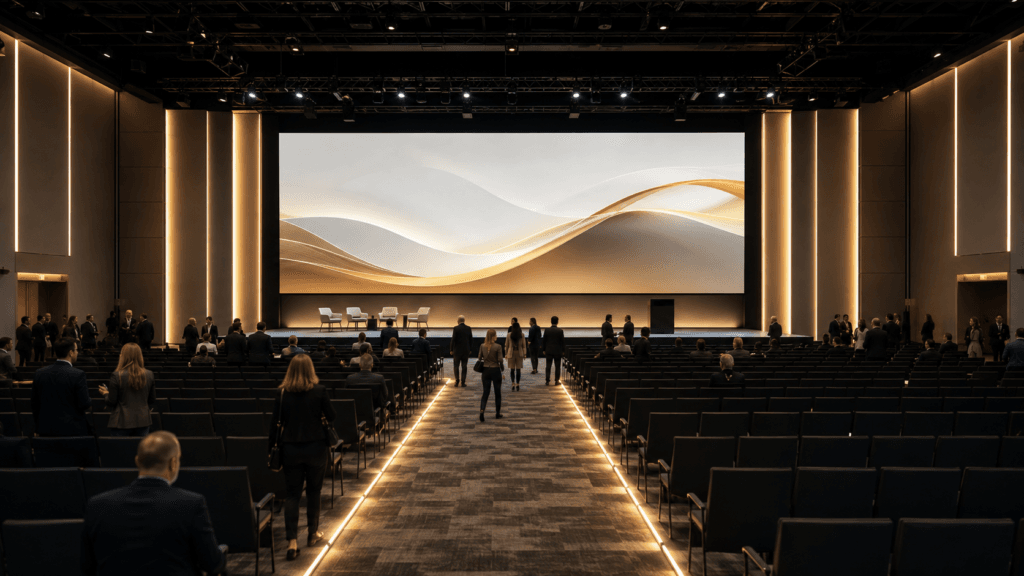
Conference audio and lighting planning works best when every cue and responsibility is defined early. A conference can have excellent speakers and still frustrate attendees when audio is unclear, transitions are awkward or responsibilities are assumed instead of assigned. Audio, lighting, music and entertainment should be planned as one guest journey while remaining accountable to the specialists responsible for each system.
Clarify roles before confirming suppliers
Venue AV may provide installed systems and technicians. A production team may manage staging, presentations, video and show calling. Entertainment may supply music, MC support and reception programming. Ask for a written responsibility map so microphones, cues, playback and staffing do not fall between teams.
Plan for the room and audience
Capacity alone does not determine requirements. Consider seating layout, sightlines, ceiling height, reflective surfaces, breakout rooms and attendee movement. Speech intelligibility matters more than volume. Qualified venue and production professionals must confirm exact coverage, power and safety requirements.
Conference audio: microphone planning
Match microphones to presenters and formats. Lecterns, panels, audience questions and roaming hosts have different needs. Confirm handoff procedures, sanitization where appropriate, battery management and backup options. Speakers should know how to hold or wear the microphone. Shure’s audio systems guide for meetings and conferences offers a useful reference for conference audio and microphone technique.
Music across the conference day
Walk-in music establishes energy without competing with conversation. Walk-out and transition cues tell attendees a segment has ended. Break music can refresh the room, while reception music supports networking before any after-party begins.
Lighting considerations
Stage lighting should help attendees see speakers and cameras capture them accurately. Room lighting affects note-taking, comfort and screen visibility. Networking and evening functions may use a warmer atmosphere, but paths, stairs and exits must remain safe.
Presentations, video and hybrid requirements
Collect presentations in advance and confirm aspect ratios, fonts, embedded media and playback ownership. Hybrid events require dedicated planning for remote audio, return feeds, moderation and recording permissions.
Access, setup and teardown
Confirm loading routes, elevators, parking, dock times, security, power, internet, rigging rules and labour requirements. Protect setup and rehearsal windows from last-minute room use. Teardown must respect venue deadlines and safe working conditions.
Communication and show calling
Name the event lead or show caller. Establish a communication channel for stage management, AV, speakers, venue, catering and entertainment. Only authorized people should change the live schedule.
Planning matrix
| Phase | Primary need | Responsible lead | Key check |
|---|---|---|---|
| Registration | Background music and announcements | Planner/entertainment | Conversation-friendly level |
| Sessions | Speech and presentations | Production/venue AV | Mic and playback test |
| Breaks | Transition cues | Show caller/music operator | Exact restart time |
| Meals | Atmosphere and remarks | Planner/catering/MC | Service coordination |
| Networking | Comfortable energy | Entertainment/venue | Sound zones |
| Closing celebration | Music, MC and lighting | Entertainment/production | Room reset and end time |
Redundancy and contingency planning
Identify critical microphones, computers, media files, internet connections and personnel. Store presentation copies appropriately and define what happens if a speaker, video or connection fails.
Questions for the venue
- What AV is included and who operates it?
- What are the sound, power and rigging limits?
- When can suppliers access the room?
- Are wired internet and hybrid support available?
- Who approves layouts and safety plans?
- What are the teardown deadlines?
Separate venue AV from entertainment responsibilities
Venue AV commonly supports installed screens, projectors, house audio, internet and meeting-room infrastructure. The entertainment provider may manage music, MC microphones, playback cues or a separate celebration system. The exact division varies by venue, so document it instead of assuming that one supplier covers everything.
Create a responsibility chart for every microphone, input, screen, laptop, lighting look and playback file. Identify who supplies it, who operates it, who approves it and what backup exists. This prevents duplicate equipment while ensuring that no critical item is omitted.
Plan conference audio for speech intelligibility
Conference sound is primarily about clarity. Room shape, ceiling height, guest count, stage position and background noise affect what attendees hear. Confirm how many presenters will speak at once, whether audience questions are planned and whether remote participants must be included.
Conference audio questions for the production meeting
- Which microphone type suits each presenter?
- Who manages microphone handoffs and batteries?
- Will videos arrive with embedded audio?
- Does the room require additional coverage?
- How will audience questions be heard?
- What is the backup if a primary input fails?
Build useful lighting looks
Lighting should serve cameras, presenters and guests. A single bright stage look may not suit registration, panels, awards, networking and closing entertainment. Define a small set of practical looks and the cues that trigger them. Warm architectural lighting can support arrival, while focused stage lighting improves attention and photography.
Confirm whether fixtures may be attached to venue structures, where power is available and whether changes require house technicians. Avoid placing lights where they block sightlines or create glare for presenters and screens.
Manage presentations and playback files
Collect final slide decks, walk-in music and videos before event day whenever possible. Use consistent file names, verify aspect ratios and test embedded fonts and audio. Keep local backup copies even when a cloud presentation is planned, since venue internet may be shared or unreliable.
Decide who advances slides and who calls cues. Presenters should know where confidence monitors are located and whether they control their own deck. Last-minute file changes must go through one designated contact so the operator always knows which version is approved.
Design transitions between conference phases
Registration, sessions, breaks, networking and closing celebrations require different energy. Music can signal that doors are open, a break is ending or the formal program is complete. The MC reinforces those signals with clear timing and directions.
Allow time for room resets, catering service and speaker movement. A five-minute break is not five usable minutes if guests must travel between floors. Build the schedule around real distances and expected queues.
Run a production check before guests arrive
Test every microphone, presentation, video and lighting cue in sequence. Confirm walk-on routes, pronunciation notes, emergency contacts and decision authority. The goal is not to rehearse every word; it is to reveal gaps while the team still has time to solve them.
Frequently asked questions
Who supplies conference audio and microphones?
It varies. Assign this in writing to venue AV, production or another qualified supplier.
Do we need a show caller?
Complex programs benefit from one person controlling cues and changes.
Can one music plan cover every phase?
Use one brand direction, but adapt energy and volume to each phase.
When should speakers submit presentations?
Set a deadline that leaves time for technical review and correction.
Who confirms technical specifications?
The qualified venue and production professionals responsible for the system.
Explore Icon Events’ conference entertainment support, services and approach. For coordinated planning, contact Icon Events.
Practical next steps for Conference Audio
When planning around Conference Audio, connect the timeline, guest experience and production requirements before the final vendor meetings. Confirm responsibilities, access, sound coverage, cueing and contingency details so every professional works from the same plan.
Use the ideas in “Audio, Lighting and Entertainment Planning for Conferences” to create a written run of show that fits the venue, guest count and priorities. Clear decisions about music, hosting and audio help the celebration feel natural while keeping important moments on schedule.
Icon Events can help translate your Conference Audio priorities into music, MC direction and event production that support the people in the room.

Talk with Icon Events about your date, venue and guest experience.